PDF vs HTML for Encrypted Email: What to Use Without S/MIME
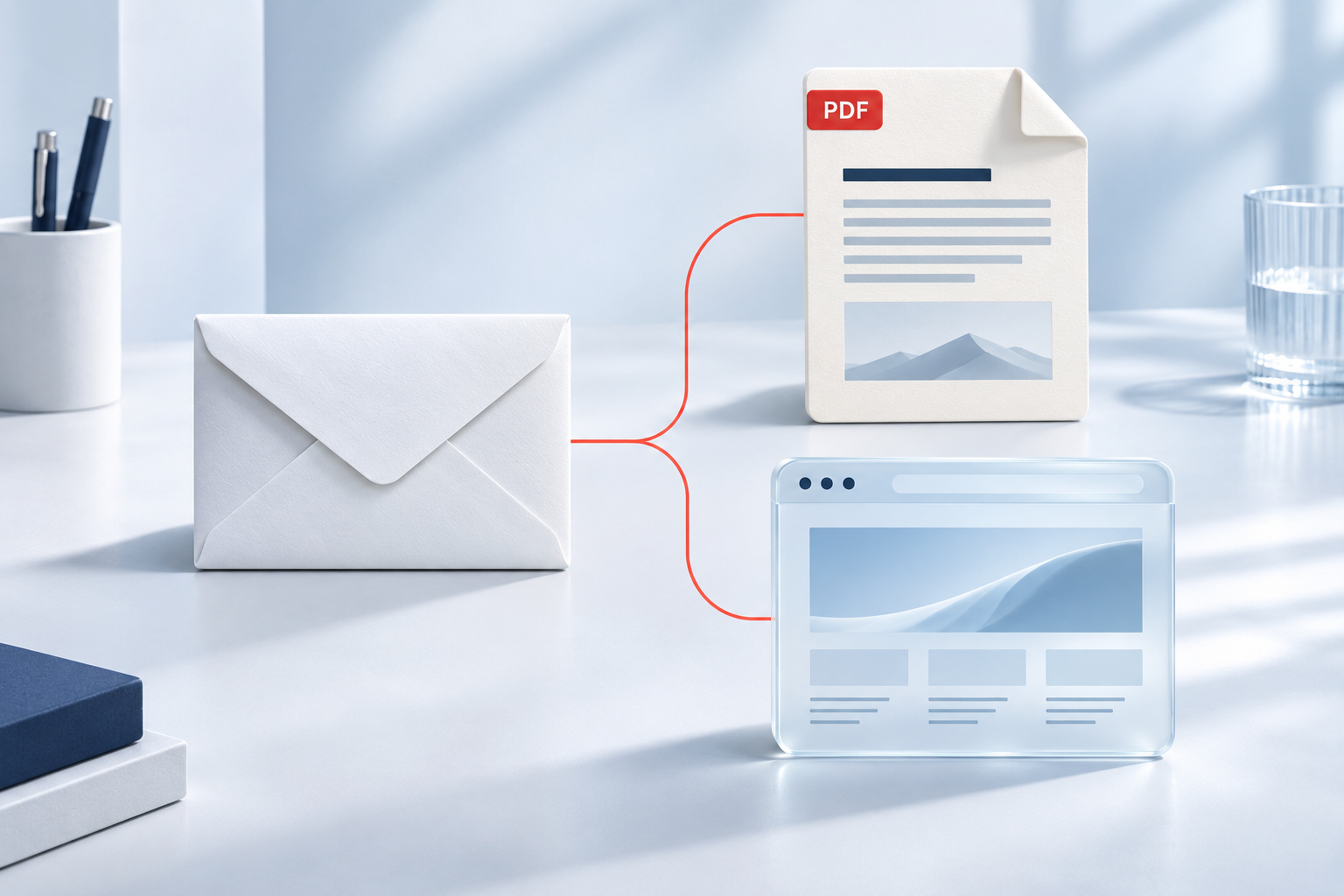
If a recipient has no S/MIME certificate or OpenPGP key, a password-protected PDF or an authenticated webmail portal can provide an alternative for workflows that allow it. ID Security recommends an encrypted PDF over an unsigned, self-decrypting HTML attachment when policy calls for a password-protected file. Use a strong password unique to the message, give the recipient a trusted way to obtain it, and define how they can verify the sender. Explore CipherMail’s secure email delivery options.
Imagine your finance team needs to send a confidential invoice to a new supplier. The supplier has no encryption certificate on file. They need to open the invoice, check its origin and reply securely. Your team needs a delivery method that meets policy and works with the supplier’s email environment.
That decision starts with three questions. Where does the message open? How does the recipient get the password? How do they know it came from you?
What is the difference between encrypted PDF and HTML email?
An encrypted PDF envelope packages the message into a password-protected PDF. With CipherMail PDF Messenger, the original attachments are included inside the protected PDF. The recipient opens it in a compatible reader. Test access to embedded files on the devices your recipients actually use, especially if they rely on a browser preview or a mobile mail app. See how CipherMail PDF Messenger works.
A self-decrypting HTML envelope is a local attachment that contains both the encrypted message and the code that opens it. The recipient runs that code in a browser and enters the password there. A separately hosted secure webmail portal is a different workflow. Recipients access the message through a known service with its own authentication and access controls. See CipherMail’s delivery options.\
Why does the source of the decryption code matter?
An unsigned HTML attachment asks the recipient to trust the code delivered alongside the encrypted content. Strong cryptography can protect the data when that code is genuine. The recipient also needs a trustworthy way to establish the origin of the file before entering a password.
With a PDF, the recipient’s installed reader handles decryption. This gives the recipient a familiar application to use and puts responsibility for safe rendering on that reader. Reader settings, software updates and rules for external content still matter. Read Adobe’s guidance on Enhanced Security.
Two protections matter in either workflow:
- Confidentiality controls who can read the message. A strong, unique password reduces the risk of guessing and limits the impact of password reuse.
- Authenticity and integrity help the recipient establish who sent the message and whether the protected content changed. Where recipients can validate S/MIME signatures, CipherMail’s Sign PDF Email setting can sign the email carrying the PDF. For a high-impact request such as changed payment instructions, verify it through an established contact channel. See CipherMail’s PDF settings.
How does CipherMail deliver email when there’s no recipient certificate?
CipherMail PDF Messenger converts the message into a password-protected PDF and includes the original attachments within it. Administrators can set when PDF encryption is available and which password workflow applies. Where policy permits, it can serve as a fallback when the recipient lacks a usable certificate or key. Read the PDF Messenger administration guide.
For regular partners, check whether you can obtain and validate an S/MIME certificate before relying on a fallback. If the recipient needs an authenticated online experience, evaluate secure webmail. For replies, verify the recipient can use the approved reply workflow and that your team knows where the response will arrive. Read our guide to S/MIME certificate discovery.
Which PDF password method should you choose?
Start with a password unique to each PDF. CipherMail can generate a password and send it by SMS to a registered number, or use a workflow in which the recipient obtains a unique PDF password through the portal or CipherMail Authenticator. The right choice depends on how you verify the recipient, which channels your policy allows and what your support team can manage. A generated password can also go back to the sender for handoff over an approved separate channel. .
When the sender handles the handoff, give them an explicit procedure. Confirm the recipient using an established contact record, share the password through the approved channel and tell the recipient how to get help. A fresh password for each PDF limits which documents a disclosed password can open. A downloaded PDF can still be opened later by someone who holds both the file and its password.
What should email administrators test before rolling this out?
- Define when the fallback applies. Document which workflows can use encrypted PDF, which require S/MIME or OpenPGP, and which should use an authenticated portal. Decide what should happen when no approved delivery method is available.
- Test the password handoff. Use a representative external recipient. Check who obtains the password, how they get it and what happens if that channel is unavailable.
- Test the complete recipient experience. Use a representative mobile device and desktop reader. Confirm the recipient can open the message, reach the embedded attachments, verify the sender as required and send a secure reply.
- Check where inspection happens. Review where your gateway applies mail inspection and data-loss prevention before packaging. Ask how recipient-side filtering handles the resulting encrypted attachment.
- Tell recipients what to expect. Identify your recognised sending domain, the expected attachment type and the approved password channel. Give recipients a trusted way to confirm an unexpected message.
Frequently asked questions
Can I send encrypted email to someone without an S/MIME certificate?
Yes. If your organisation’s policy allows it, you can deliver the message as a password-protected PDF or through authenticated secure webmail. Choose the method based on the sensitivity of the message, how recipients can verify their identity and whether they need to reply securely. Compare CipherMail delivery options.
Does CipherMail encrypt the original attachments too?
CipherMail PDF Messenger packages the email and its attachments inside the password-protected PDF. Test that the recipient’s reader supports opening or saving the embedded files.
Is an encrypted PDF safer than a self-decrypting HTML attachment?
ID Security prefers PDF for this fallback because a compatible reader supplies the decryption code. Overall security still depends on the reader, password delivery, sender verification and the sensitivity of the workflow. For recipients who need authenticated online access, also assess secure webmail.
Does a password-protected PDF tell me who sent it?
The password controls access to the document. To verify the sender, use a separate trust mechanism, such as a valid signature on the carrying email where supported. For an unexpected or high-impact request, confirm it through a known contact channel.
Choose a secure delivery method your recipients can use
Bring one real use case to the discussion. Who receives the message? What can they open? How will they obtain the password or authenticate? Do they need to reply securely? ID Security can help you match that workflow to the right CipherMail delivery option.
Talk to ID Security about secure email delivery